PERSONAL PROFILES
One household.
More than one routine.
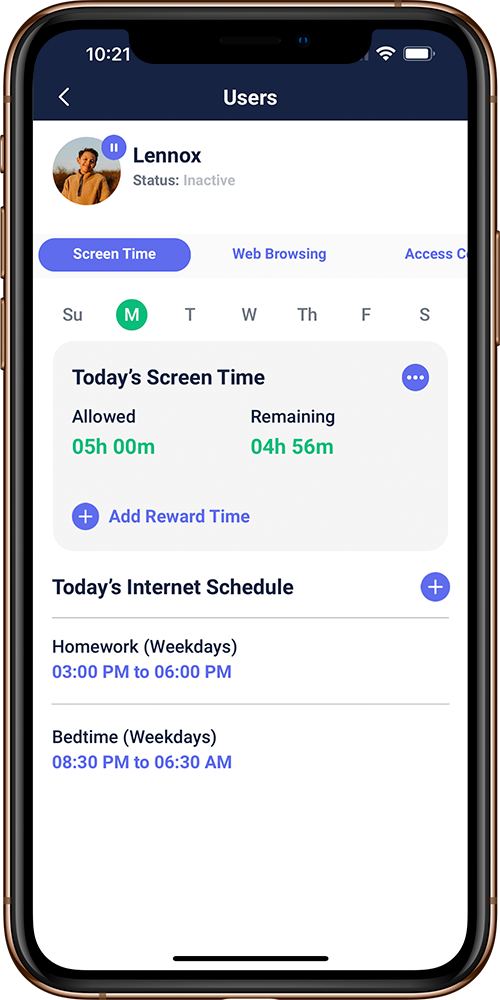
A shared laptop. A child’s tablet. Their phone. Bring devices together under a profile so the settings follow the person.
A FAMILY, AT A GLANCE
A
AlexHomework, then a little downtime.
S
SamDifferent age. Different boundaries.
G
Illustrative household · not live account dataGuestsA place for visiting devices.
MAKE IT PERSONAL
Start with who.
Then choose how.
- Create a profile.
Give each family member a place in your Gryphon settings.
- Bring their devices together.
Associate devices with the person who uses them.
- Set a routine that fits.
Personalize age-based filtering and internet schedules.
FROM PROFILE TO DAILY RHYTHM
A clearer picture
of their screen time.
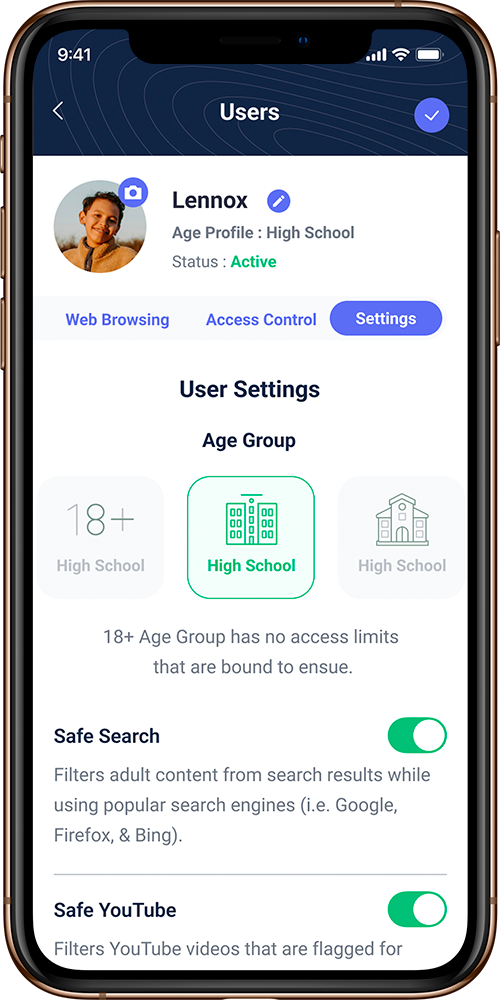
Keep time allowances and internet schedules with the person’s profile. Check what is used, what remains, and what is coming next.
See the family tools